 how-to
How do I troubleshoot garage door remote signal interference?
Last Updated: October 24, 2026
Quick Summary
Garage door remote signal interference happens when radio waves from your remote can't reach the opener reliably due to other devices broadcasting on the same frequency. Start by checking your remote battery, testing its range, and isolating LED lights and nearby electronics like Wi-Fi routers or security cameras, which are the most common culprits.
- A healthy remote should work from at least 15-20 feet away in a typical garage
- LED drivers in LED shop lights and smart bulbs are the single biggest source of garage door remote interference
- Establish a baseline test by pressing the remote five times from a fixed spot and recording how many presses open the door
- Test devices one at a time in order of likelihood: security cameras, Wi-Fi routers, smart hubs, cordless phones, and new electronics installed in the last six months
- If troubleshooting doesn't resolve the issue, a professional can test the receiver and antenna with specialized equipment
Table of Contents
- Understanding Garage Door Remote Signal Interference
- Why Your Garage Door Remote Isn't Working Reliably
- Step 1: Check Your Remote Battery and Basic Function
- Step 2: Test Your Garage Door Remote Range
- Step 3: Identify LED Lights Interfering with Your Garage Door Remote
- Step 4: Locate and Isolate Nearby Electronic Devices
- Understanding Your Garage Door Opener Antenna
- When to Call a Professional Technician
- Frequently Asked Questions
Understanding Garage Door Remote Signal Interference
Garage door remote signal interference happens when radio waves from your remote can't reach the opener reliably. Your remote sends a radio signal at a specific frequency.
This is one of the most common garage door problems, and most of the time the fix is simple.
Once you know what's interfering, you can move it, shield it, or reprogram your opener.
Why Your Garage Door Remote Isn't Working Reliably
Your garage door opener receives signals on a specific radio frequency. Modern openers use rolling-code technology, sending a different code each press, but the signal still travels on the same frequency band.
Common reasons for signal loss include:
- Dead or weak batteries in the remote
- LED lights and LED drivers in or near the garage
- Nearby electronics like Wi-Fi routers, security cameras, or cordless phones
Common reasons for signal loss
The most frequent culprits are LED lighting fixtures and modern smart home devices. LED drivers inside LED bulbs and fixtures emit radio noise that can blanket the frequency your opener uses, so if you installed new LED shop lights or smart garage lights recently, that's often the source.
The second most common cause is distance. Your remote's effective range is usually 20-40 feet in open air, and walls, metal framing, and interference reduce it.
Step 1: Check Your Remote Battery and Basic Function
A weak or dead battery is the simplest fix and the most common cause of remote failure.
What to do:
- Remove the battery from your remote and inspect it for corrosion or leaks
- Replace it with a fresh battery of the correct type (usually a 9V or AA)
- Press the button several times while standing directly in front of the opener
If the door still doesn't respond from close range, the remote itself may be broken.
Test the wall control: Press the wall-mounted button inside your garage.
If the wall control also doesn't work, your opener may have lost power or the motor may have failed.
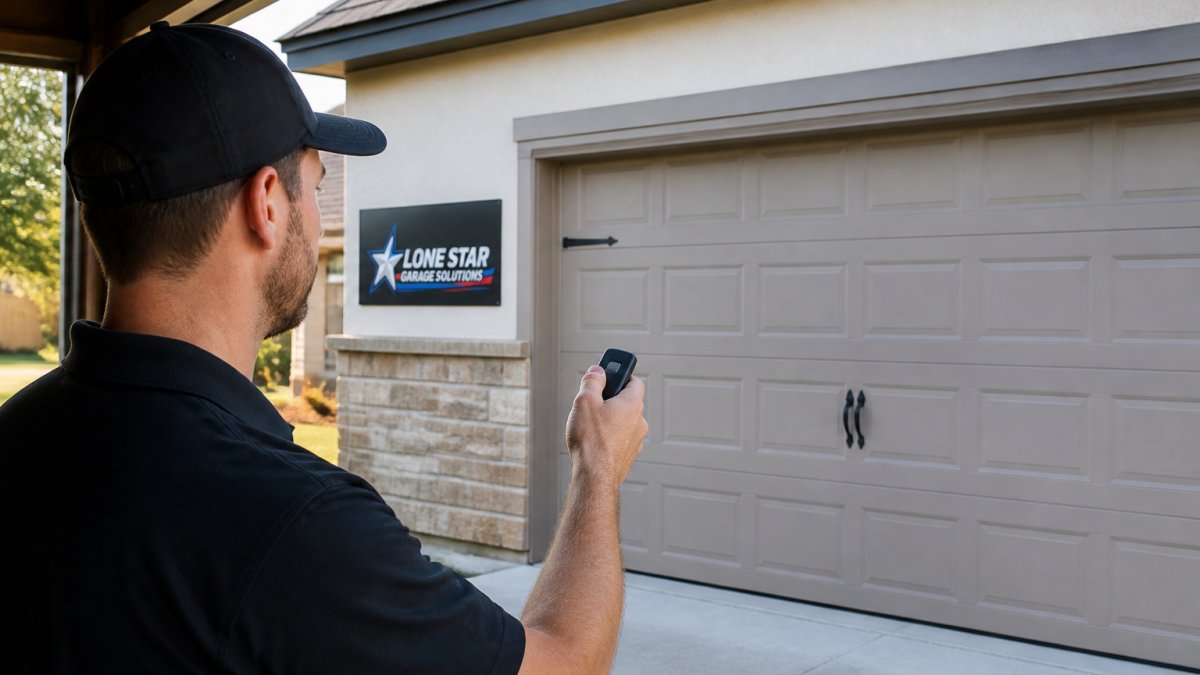
Step 2: Test Your Garage Door Remote Range
Once you've ruled out a dead battery, test how far your remote works.
What to do:
- Stand directly in front of the opener (same side of the garage door)
- Press the button and note whether the door opens
- Step back 5 feet and try again
A healthy remote should work from at least 15-20 feet away in a typical garage. If it only works from 2-3 feet, interference is likely the cause.
Test from different locations:
- Try the remote from the driveway, outside the garage
- Try it from the side of the garage
- Try it from inside the house, pointing toward the garage
This pattern matters: if the remote works outside the garage but not inside, the interference is inside; if it works from one side but not another, the source may be localized.
Step 3: Identify LED Lights Interfering with Your Garage Door Remote
LED lights are the single biggest source of garage door remote interference we encounter. LED drivers, the switching power supplies inside LED bulbs and fixtures, emit broadband radio noise.
How LED drivers cause interference
LED drivers switch current on and off thousands of times per second, creating radio-frequency noise across a wide band, including the band your garage door opener uses (typically 300-400 MHz for most modern openers).
If you installed LED shop lights, ceiling fixtures, or smart LED bulbs in the last few years, this is likely your problem; older incandescent or fluorescent lights don't cause it.
Testing and isolating LED interference
What to do:
- Turn off all LED lights in the garage
- Test your remote from the same distances you tested before
- If the remote suddenly works from farther away, LED lights are the culprit
If turning off the lights fixes the problem, you can replace the LED fixtures with higher-quality ones designed to suppress RF noise, keep the lights off when using the remote, move the fixtures away from the opener, or shield them with metal conduit or a Faraday cage. The most reliable fix is commercial-grade fixtures with better RF shielding, consumer-grade LED shop lights are often the worst offenders.
Step 4: Locate and Isolate Nearby Electronic Devices
If LED lights aren't the problem, the next step is a controlled isolation test. Most guides say to 'unplug devices one at a time,' but without a baseline and a written log you'll chase your tail, especially with intermittent interference.
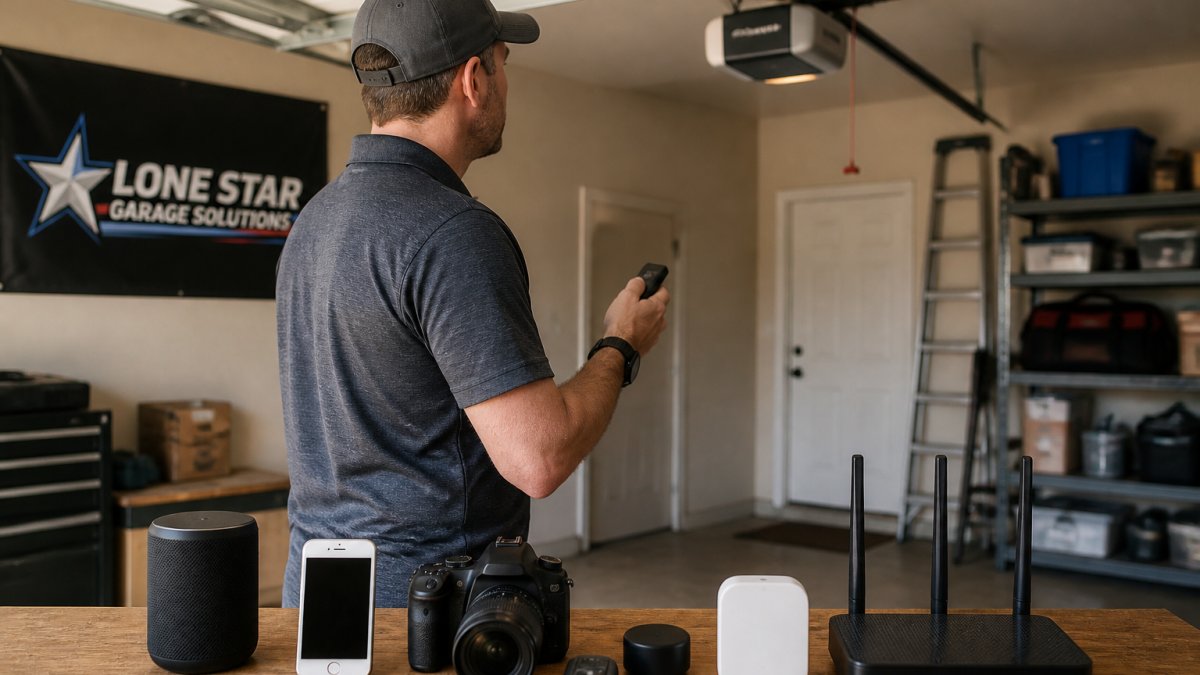
First, establish a baseline
Before you unplug anything, measure how bad the problem is so you can tell whether a change helped.
- Pick a fixed test spot, for example, 20 feet back from the opener on the same side of the door.
- Press the remote five times from that spot and count how many presses open the door (for example, 2 out of 5).
- Write that number down along with the date and time.
- Repeat the same five-press test at the same spot after every change you make.
A remote that works 5 out of 5 from 20 feet is healthy; one that works 1 or 2 out of 5 has a real range problem. This baseline turns guesswork into diagnosis.
The one-device-at-a-time isolation sequence
Work through suspects in order of likelihood, changing only one thing per test. After each change, wait about 30 seconds for devices to settle, then run the same five-press test from your baseline spot and record the result.
- Wireless security cameras, unplug the camera nearest the opener (or disable its Wi-Fi in the app). Test. Plug it back in before moving on.
- Wi-Fi router or mesh node in or near the garage, power it down. Test. Power it back up.
- Smart home hub, smart plug, or video doorbell base in the garage, unplug. Test. Reconnect.
- Cordless phone base or baby monitor, unplug. Test. Reconnect.
- Microwave oven, run it for 30 seconds while testing the remote from the baseline spot. A working microwave should not affect the opener; if it does, the opener's receiver or shielding needs attention.
- Neighboring openers, if you live in a townhome or close-set subdivision, ask a neighbor to avoid using their remote for ten minutes while you test. Shared-frequency congestion from adjacent openers is real, especially in dense Central Texas neighborhoods.
- New electronics, anything installed in the last six months: EV chargers, solar inverters, smart meters, wireless sprinkler controllers, pool equipment controllers. Unplug or disable one at a time and test.
When a test jumps your success rate, say from 2 out of 5 to 5 out of 5, you've found a likely contributor. Move that device farther from the opener, put it on a switched outlet, or replace it with a model that has better RF shielding.
Handling intermittent and neighborhood-wide interference
Some interference isn't constant. If your remote fails only in the evening, on weekends, or from a certain direction, the cause may be a scheduled device (landscape lighting, pool pumps, irrigation controllers) or a neighbor's equipment.
- Time-of-day pattern: test at the same spot morning, afternoon, and evening for three days and log results. A device that cycles on a timer will show up as a repeating window of failure.
- Location pattern: if the remote fails from the street but works in the driveway, the interference source is likely outside your garage, a neighbor's opener, a streetlight with a failing driver, or a nearby commercial building.
- Weather pattern: some failures correlate with heat, cold, or humidity, which points to a failing receiver or antenna connection rather than external interference.
Document the pattern before you buy a new remote or receiver. Replacing equipment won't fix interference that comes from outside your property.
Work through these common interference sources in order, testing your remote after each change.
| Device or Source | What to Do | Expected Result |
|---|---|---|
| Wireless security cameras | Unplug nearest camera or disable Wi-Fi | Remote range improves |
| Wi-Fi router or mesh node | Power down for 30 seconds | Remote range improves |
| Smart home hub or video doorbell | Unplug base station | Remote range improves |
| Cordless phone base or baby monitor | Unplug device | Remote range improves |
| Microwave oven | Run for 30 seconds while testing | Should not affect opener |
| Neighbor's garage door opener | Ask neighbor to avoid remote use | Remote range improves |
| New electronics (EV charger, solar inverter, smart meter) | Unplug or disable one at a time | Remote range improves |
Understanding Your Garage Door Opener Antenna
Your garage door opener has an antenna that receives the radio signal from your remote. On most residential openers it's a short wire or rod attached to the receiver board inside the motor housing, often hanging down or routed along the outside. It works best with a clear path to the remote, uncrowded by metal or RF noise.
Antenna positioning and condition
- Keep it clear of metal. Metal framing, metal doors, metal shelving, and metal garage cabinets block or reflect the signal. If the antenna is tucked behind a metal storage rack, move it.
- Don't coil or bundle it. A coiled antenna detunes and loses range. Let it hang straight or route it as the manufacturer intended.
- Keep it away from LED fixtures and cameras. Even a few inches of separation can matter.
If repositioning the antenna improves range but doesn't fully solve the problem, the receiver itself may be weak, or the interference strong enough that only a receiver upgrade or professional diagnosis will fix it.
Frequency and compatibility: not all interference is the same
Before you blame interference, confirm your remote and opener actually belong together and operate as designed.
- Check the frequency band. Most modern residential openers operate in the 300-400 MHz range, but older units and some brands use different bands. If you recently replaced a remote, verify it matches your opener's frequency and protocol, a mismatched remote will behave like interference even when there is none.
- Check the protocol. Rolling-code and fixed-code systems are not interchangeable. A remote programmed for the wrong protocol may work only at very close range or not at all.
- Check the receiver type. Some openers use an internal receiver; others use an external receiver module or a plug-in receiver. If yours uses an external module, inspect its antenna connection and mounting.
If you're unsure which remote is compatible, start with the opener's model label (usually on the motor housing or inside the light cover). A technician can confirm compatibility in minutes.
A simple decision tree: interference vs. receiver vs. opener
Use these test outcomes to decide what to do next.
- Wall control works, remote works only up close → interference or weak remote battery. Go back to Steps 1-4.
- Wall control works, remote never works at any distance → remote programming, battery, or remote failure. Reprogram the remote per the manufacturer's instructions and retest.
- Wall control works, a brand-new compatible remote also fails → receiver or antenna problem. Inspect the antenna, then have the receiver tested.
- Wall control does not work either → the problem is in the opener, wiring, or power supply, not the remote signal. Stop remote troubleshooting and call a technician.
- Remote works sometimes, fails in patterns (time, weather, location) → intermittent interference or a failing receiver. Log the pattern and have it diagnosed.
At Lone Star Garage Solutions, we diagnose remote and receiver problems on openers across New Braunfels and the surrounding Hill Country communities. If your opener is older or has a history of range problems, we can also walk you through garage door opener options with better receiver sensitivity and modern interference filtering. When you're ready, contact Lone Star Garage Solutions for a quote.
When to Call a Professional Technician
If you've worked through the steps above and the remote still isn't working reliably, it's time to call in help.
At Lone Star Garage Solutions, we diagnose remote signal interference quickly. We'll test your remote, identify the source, and recommend a fix.
If troubleshooting doesn't resolve the issue, contact Lone Star Garage Solutions for a quote on professional diagnosis and repair.
Frequently Asked Questions
Why does my garage door remote only work sometimes?
Intermittent operation usually points to signal interference rather than a dead battery. Test the remote at different distances and locations. If it works closer to the opener but fails farther away, interference is likely. LED lights, wireless cameras, and cordless phones are common culprits. Try unplugging suspect devices one at a time to isolate the source.
Can LED lights interfere with a garage door remote?
Yes. Modern LED lights with certain drivers emit radio-frequency noise that can disrupt your garage door opener antenna. Dimmer-compatible LEDs are especially problematic. If your remote range dropped after upgrading to new lighting, turn off the lights and test your remote. If range improves, you've found your interference source. Consider moving lights away from the opener or replacing them with shielded LED fixtures.
How can I improve the range of my garage door remote?
First, eliminate interference by testing your remote away from LED lights, cameras, and wireless devices. Check that your remote battery is fresh. Inspect the garage door opener antenna for damage or corrosion. If the antenna is bent or corroded, it may need replacement. Ensure nothing is blocking the antenna's line of sight to the remote transmitter. Poor antenna condition or nearby electronics are the most common range limitations.
When should I call a garage door technician about remote signal problems?
Contact a technician if troubleshooting doesn't restore reliable operation, if the antenna is visibly damaged or corroded, if your remote fails to work even at close range after a fresh battery, or if interference persists after isolating and moving electronic devices. Opener circuits or receiver modules may need professional diagnosis or replacement.
Garage door remote signal interference is frustrating, but it's almost always fixable. Start by checking your battery, test your remote range, and systematically isolate LED lights and other devices. Most homeowners solve the problem in an afternoon. If you get stuck or need professional help, we're here to get your remote working reliably again.